For the clinic, the classroom & home

The digital goniometer app for your iPhone

Turn your iPhone into a clinical-style goniometer. Measure joint range of motion in seconds — neck to fingertips — with guided placement and saved progress.

5.0 on the App Store

Free to measure · Try Pro free for your first 8 saved readings — no card, no auto-charge · then a one-time $14.99, no subscription

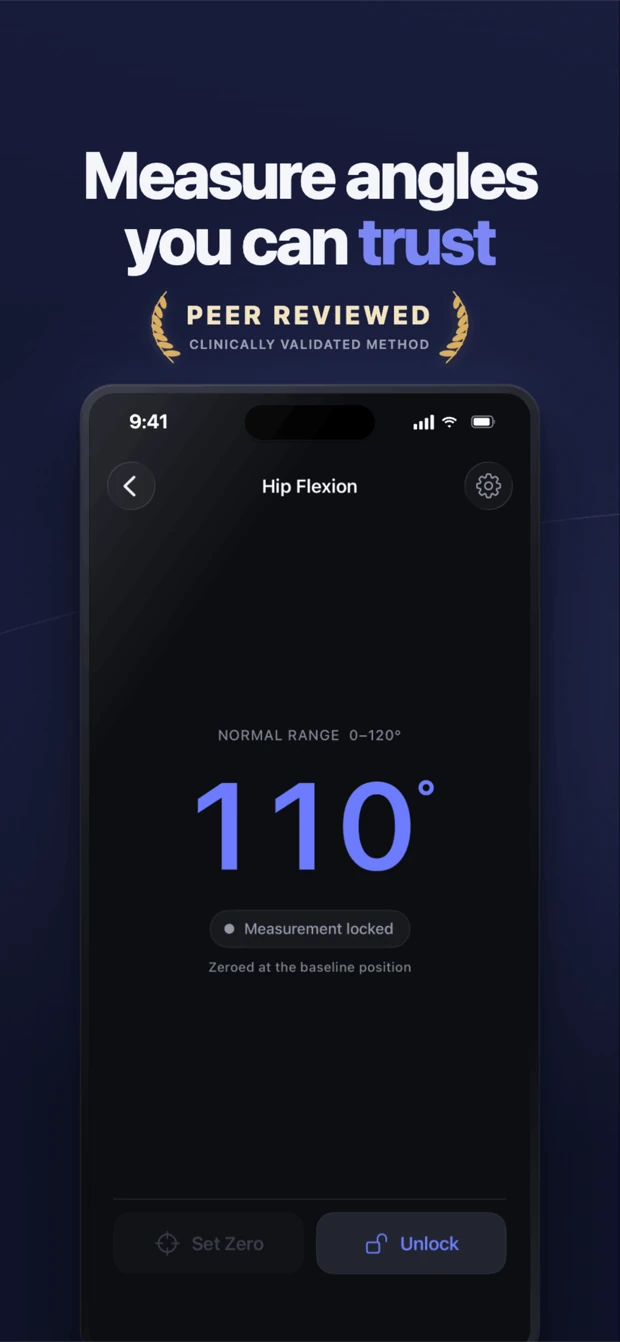
Goniometer app measuring hip flexion at 110 degrees on iPhone
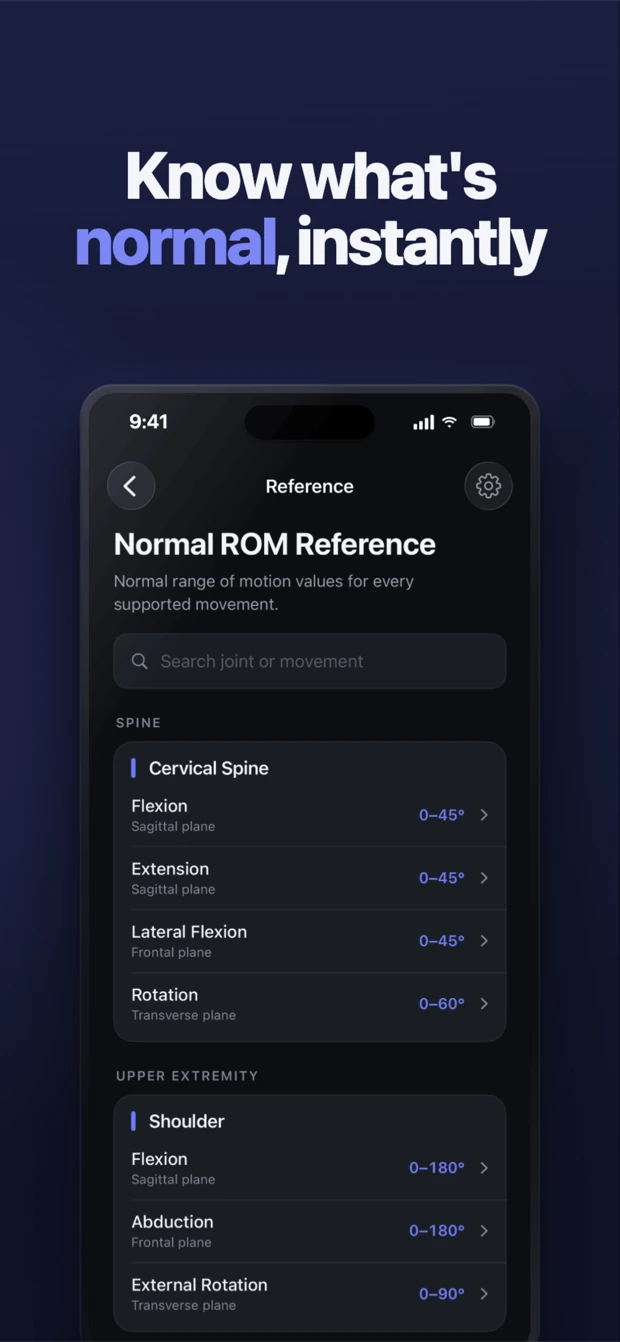
Clinician-built — designed by Kevin Lan, OTR/L, ATP, licensed occupational therapist & assistive technology professional Validated method — smartphone inclinometry shown valid & reliable for ROM (see the research: Keogh et al., PLOS ONE, 2019) AAOS normative reference values for every movement Private by design — no camera: the iPhone's motion sensor reads the angle, so nothing is ever pointed at your patient. No accounts, works offline, patient data encrypted on device. App Store label: "Data Not Collected" (designed for HIPAA-covered practice)

A full goniometry workflow, in your pocket

Place the phone against the limb, read the live angle, and lock it when steady. No extra hardware.

Measure in seconds

Live, gravity-referenced angle with a large readable display. Flat and upright starts read 0° automatically — no calibration.

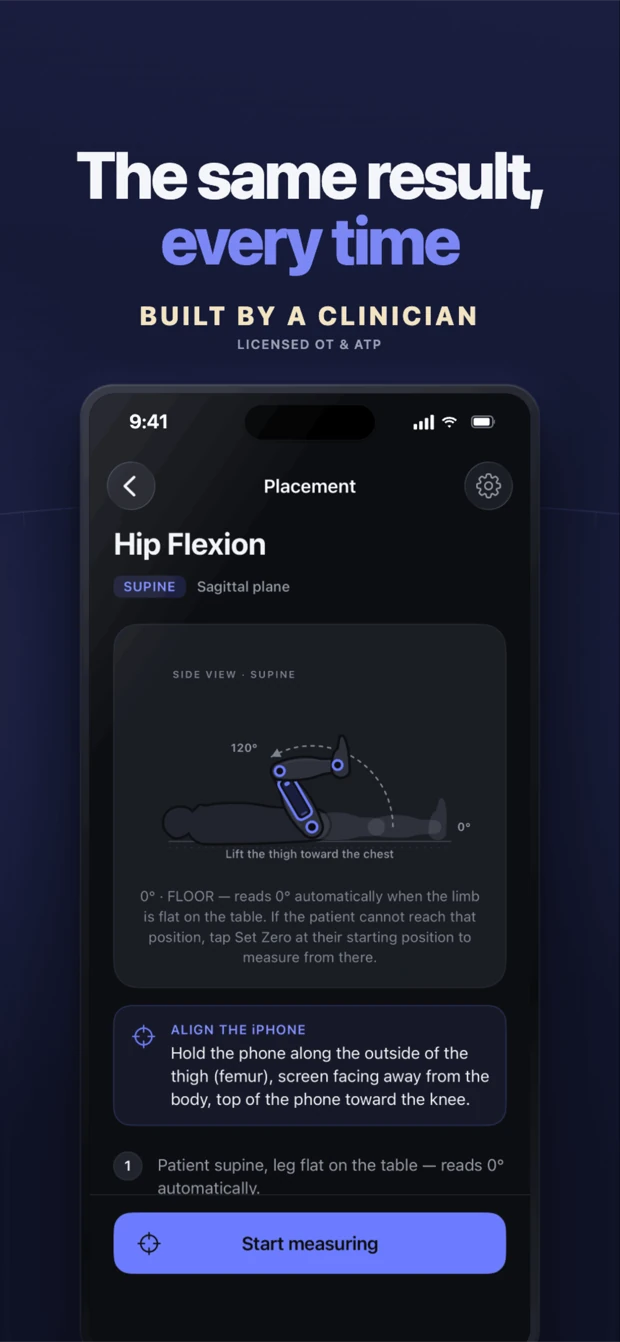
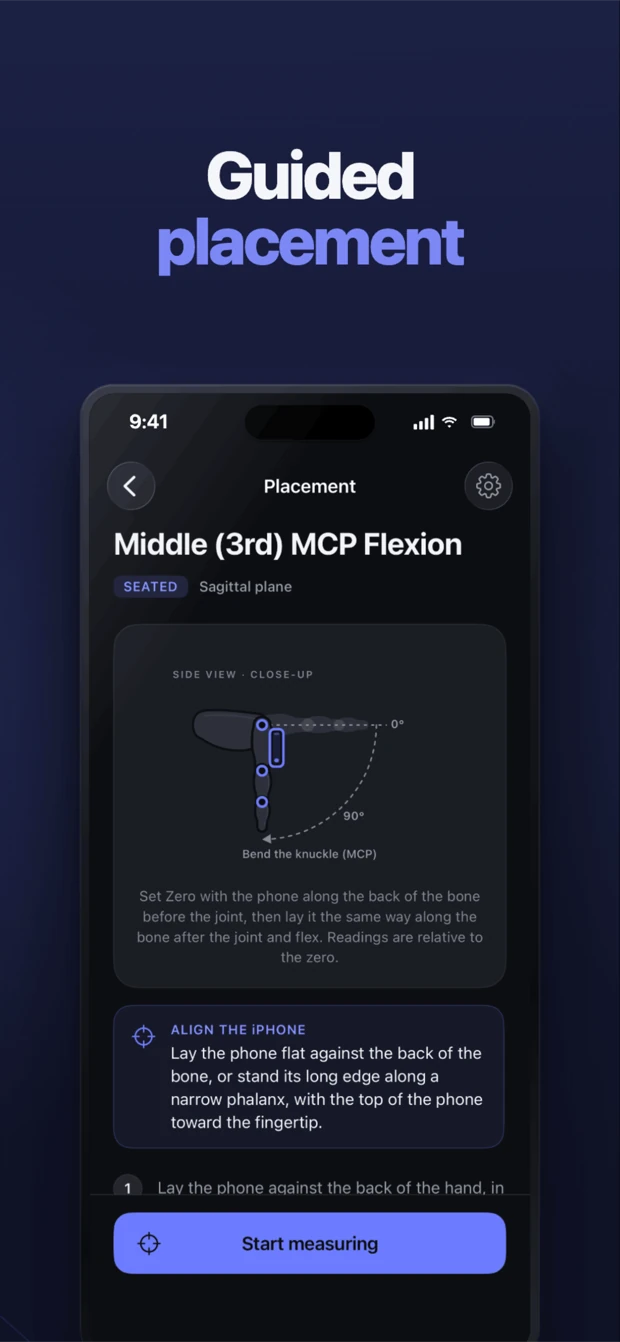
Animated placement guides

Every movement has a step-by-step guide: patient position, exactly where the iPhone lies, and the motion from start to end range.

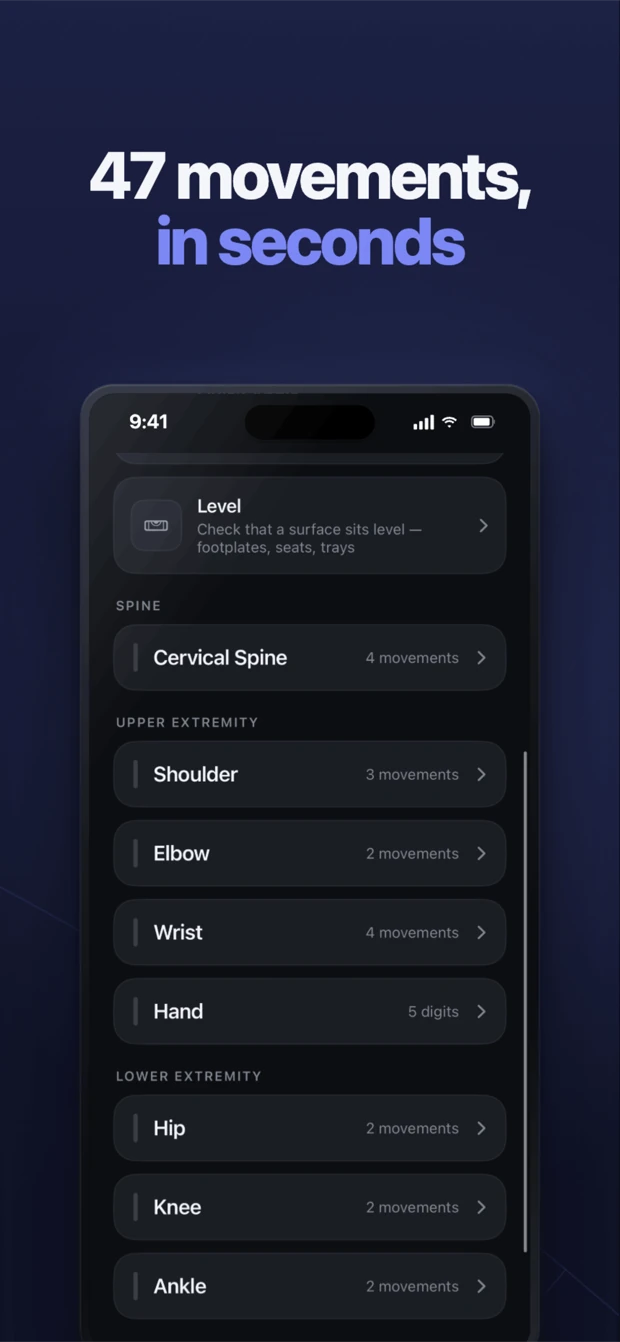
47 movements

Cervical spine, shoulder, elbow, wrist, hip, knee, ankle — and every finger and thumb joint. Neck to fingertips.

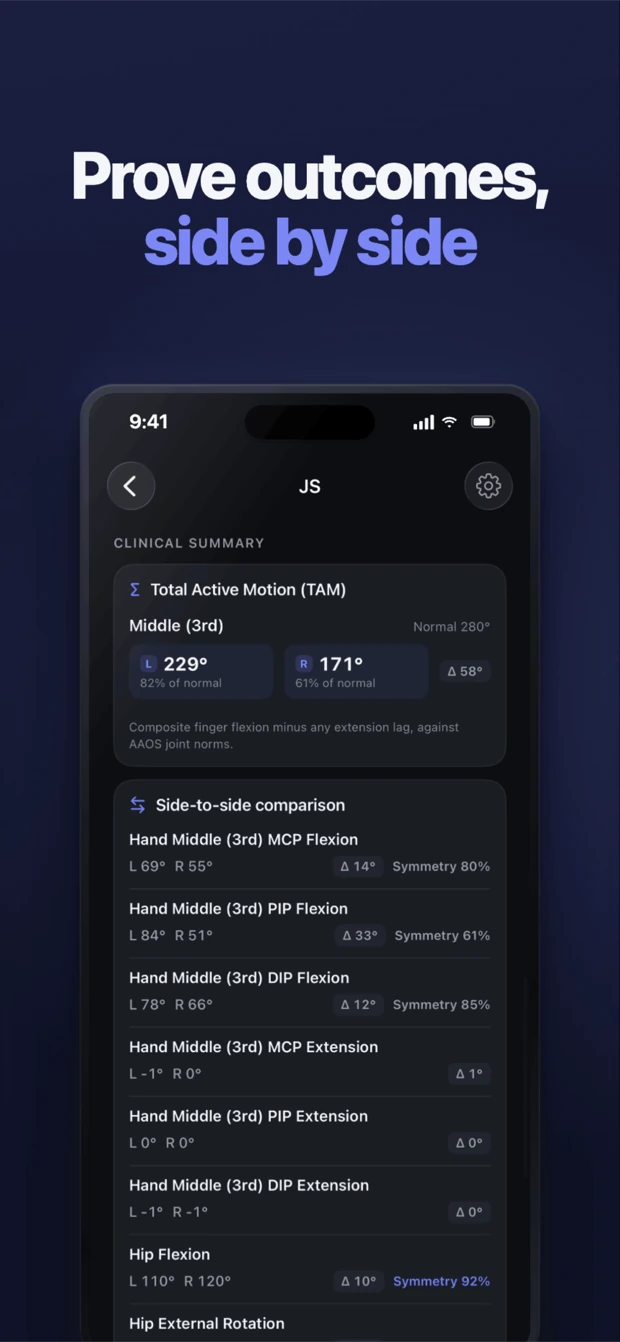
Hand & finger ROM + TAM

Measure MCP, PIP and DIP joints with a guided two-placement technique. Tag readings active or passive (AROM / PROM); Total Active Motion per digit is computed automatically.

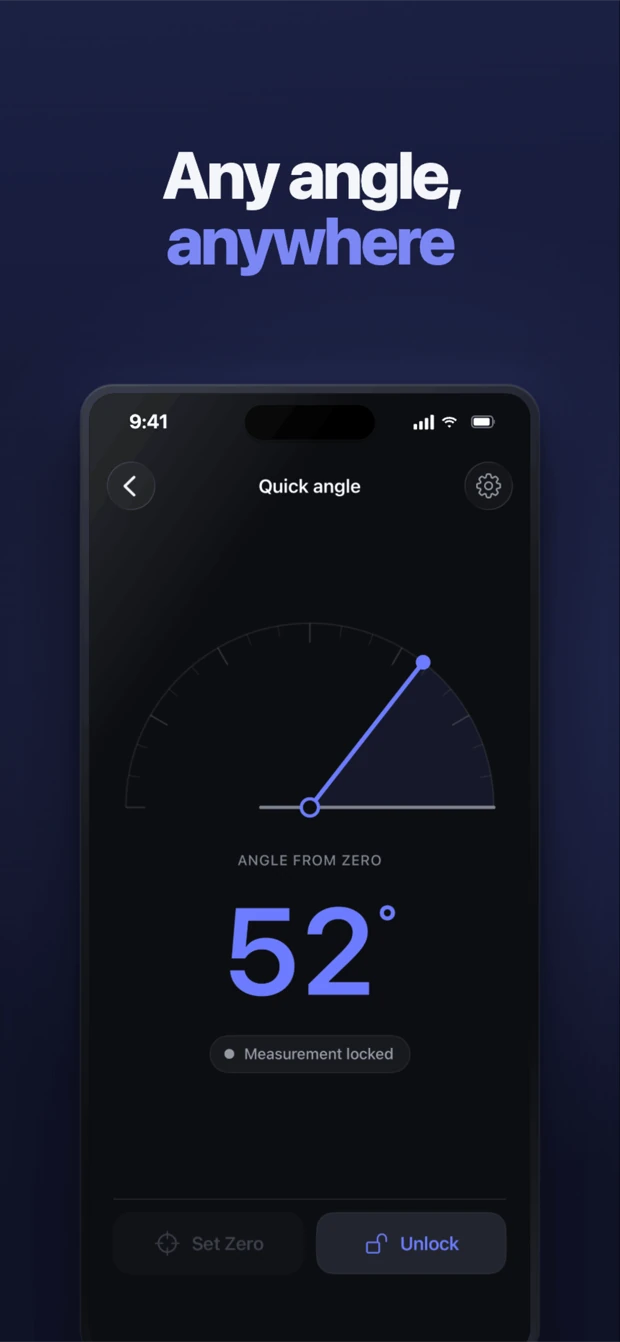
Quick Angle & Level — free

Measure any angle: wheelchairs, splints, ramps and seating. Check footplates and trays sit even with the built-in Level.

Patient Profiles

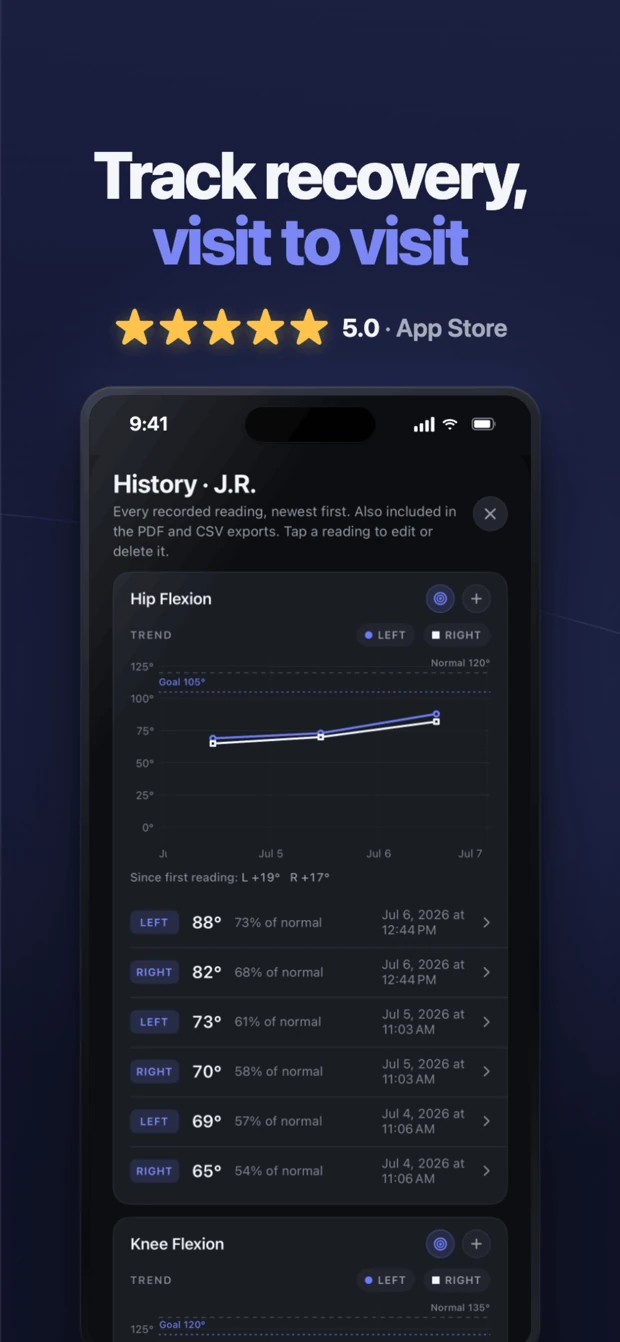
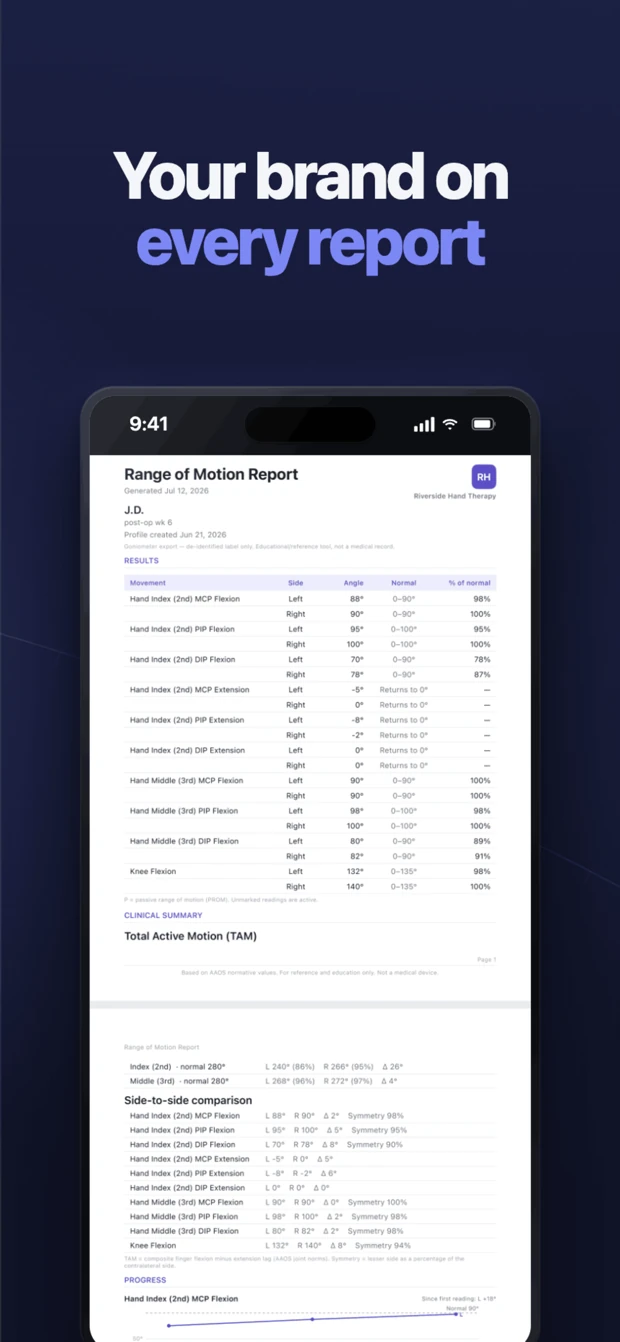
De-identified labels, left/right sides, and progress history across visits. Export a clean PDF report or CSV. Your first profile is free.

See it in action

Clean, clinical, and fast — designed to stay out of your way during an assessment.

Loved by clinicians, providers, and patients

What clinicians, providers, and patients are saying on the App Store.

5.0 on the App Store

Easy and accurate

Great instructions, easy to use, and accurate. Overall great app using the phone’s built in tools.
potatoe811 · App Store review

The best goniometer app for measuring patient ROM

The best Goniometer app for measuring patient ROM. Very quick, easy to use, and accurate!
mlowedc · App Store review

Sleek, accurate and overall a great app!

This goniometer app is different from everything else that’s out there. It is incredibly easy to take quick measurements of lower and upper body range of motion. The visual guides make it easy to know what and how to measure correctly. I love the styling and theming of the app, it makes it easy to capture the ROM angles and know what I’m looking at. The developer clearly understands human factors in a healthcare setting and translates that beautifully into a usable app. The text-to-speech readings are also very helpful when your hands are tied up. Try this app!
Summysalt · App Store review

Convenient and accurate

This app is convenient because I always have my phone on me. I can never find a Goniometer lying around.
Ohteepeetee · App Store review

Convenient & useful

This app is easy to use and does the job well. Perfect resource for therapists and providers to use. Would recommend!
Penelopethegr8 · App Store review

Helpful!

Makes workflow much faster.
TakHuynh · App Store review

Very functional

Very useful and easy to use digital goniometer. I use it pretty much every day and have had no issues with it.
Josepentino · App Store review

Easy to use at home

I have been having knee pain and decreased range of motion. I was able to easily use this app to track my range of motion over time
1yl3 · App Store review

47 movements, neck to fingertips

One app to document range of motion across the whole patient — reviewed against standard supine measurement technique.

Guides & resources

Evidence-based how-to guides for measuring range of motion — each with the app's placement diagrams, normal AAOS values, and cited sources.

Goniometer Pro

Built for clinical documentation

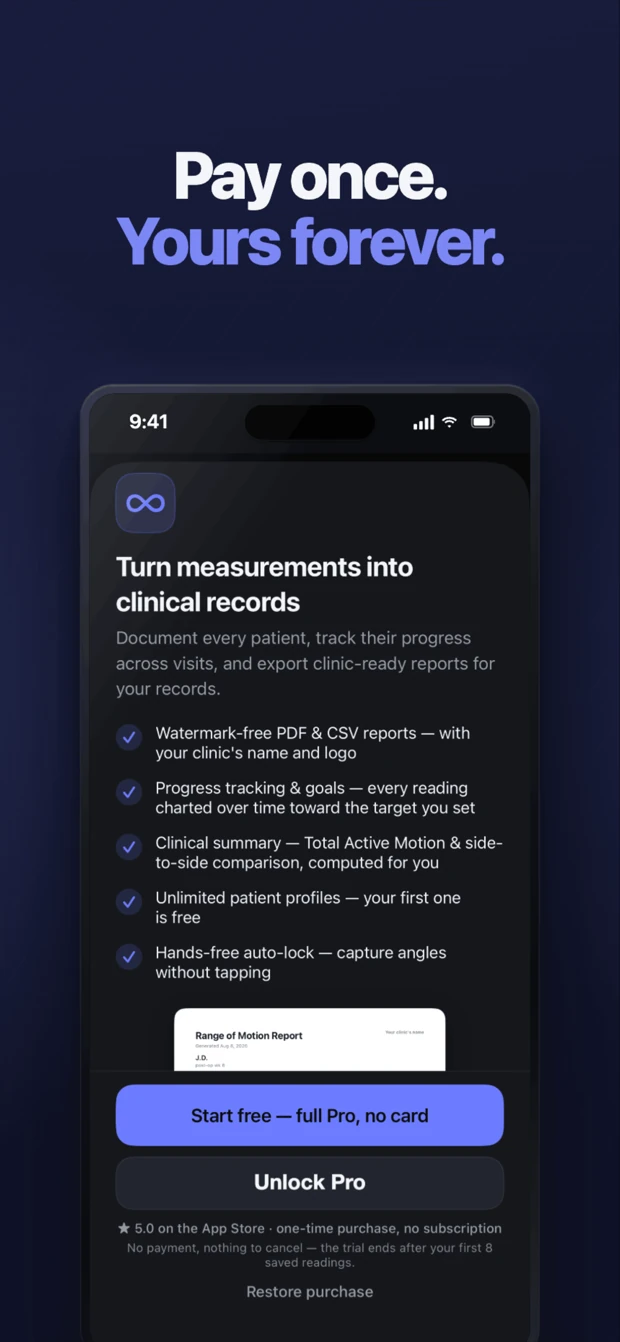
Measuring is always free. Pro adds the workflow that turns readings into a record you can keep and share — a one-time purchase, never a subscription.

Try all of Pro free for your first 8 saved readings — no card, no auto-charge. No accounts, no analytics, no tracking; everything stays on your device and works fully offline.

Free trial — your first 8 saved readings · then a one-time purchase, no subscription
  • Unlimited patient profiles
  • Watermark-free PDF & CSV reports — on your clinic's letterhead
  • Progress history & trend charts across visits
  • Per-movement goal tracking — set a target and chart progress toward it
  • Total Active Motion (TAM) per finger, computed automatically
  • Side-to-side comparison vs. the contralateral limb
  • Hands-free auto-lock when the limb is steady

See everything in Pro — with a real report →

Frequently asked questions

What is the Goniometer app?

Goniometer is a digital goniometer app for iPhone. It turns the iPhone's motion sensor into a clinical-style goniometer so you can measure joint range of motion (ROM) in seconds — place the phone against the limb, read the live angle, and lock it when steady. It covers 47 movements from the cervical spine to every finger.

Can an iPhone measure range of motion?

Yes. The app reads the iPhone's device motion sensor, gravity-referenced like the built-in Level, to compute the joint angle. Smartphone inclinometer measurement has been shown valid and reliable for joint range of motion in peer-reviewed research (Keogh et al., systematic review, PLOS ONE, 2019).

Is the Goniometer app accurate?

It uses gravity-referenced device motion with a stability indicator so you only lock a steady reading, and normal-range reference values follow AAOS. Validity and reliability of smartphone inclinometry for ROM are supported in the peer-reviewed literature. Goniometer is an educational and reference tool, not a medical device.

Who is it for?

Occupational and physical therapists, hand therapists (CHTs), chiropractors, physicians and other doctors, nurses, athletic trainers, ATPs, and students — plus patients tracking their own range of motion and recovery at home. Anyone who needs to measure or document joint motion.

Is there a free goniometer app?

Yes — Goniometer: Range of Motion is a free goniometer app for iPhone. Measuring is free and unlimited for all 47 movements, with guided placement, AAOS normal ranges, the Quick Angle tool, one saved patient profile, and watermarked PDF & CSV export. Only the documentation layer (unlimited profiles, progress history, goal tracking, watermark-free letterhead reports) is a one-time Pro purchase — with a free trial (your first 8 saved readings).

How much does it cost?

Measuring is free and unlimited — every joint and movement, plus the Quick Angle and Level tools, your first patient profile, watermarked PDF & CSV export, and Face ID lock. Goniometer Pro is a one-time $14.99 purchase (no subscription) that adds unlimited patient profiles, progress history with trend charts, per-movement goal tracking, Total Active Motion, side-to-side comparison, watermark-free reports with your clinic letterhead, and hands-free auto-lock. You can try all of Pro free for your first 8 saved readings.

Is there a free trial?

Yes. You can try every Pro feature free for your first 8 saved readings, started from inside the app — no credit card and no auto-charge. When the trial ends, Pro simply locks again until you choose to unlock it with the one-time $14.99 purchase. Your saved measurements and patient profiles are never deleted.

What joints can it measure?

Cervical spine, shoulder, elbow, wrist, hip, knee, and ankle, plus every finger and thumb joint (MCP, PIP, DIP, and thumb MCP/IP) — 47 movements in total, each with an animated placement guide.

Who makes Goniometer?

Goniometer is built by Kevin Lan, OTR/L, ATP — a licensed occupational therapist and assistive technology professional with 8+ years of clinical experience — and designed around real clinical workflows: guided placement, AAOS reference values, and documentation-ready exports.

Is my data private?

Yes. Goniometer collects no data — no accounts, no analytics, no tracking. Measurements and patient profiles stay on your device, encrypted at rest, and the app works fully offline. The App Store privacy label is "Data Not Collected."

Is Goniometer HIPAA compliant?

No app can be "HIPAA certified" — no such certification exists, and compliance is an obligation of the clinician or facility, not the software. Goniometer is designed to support your compliance: patient data never leaves the device, is encrypted at rest, can be locked behind Face ID at no cost, and is never transmitted to anyone — so there's no BAA to sign. See what HIPAA actually requires of a goniometer app.

Measure with the device already in your pocket

Free to measure, every joint and movement. Download Goniometer for iPhone.